Changing the Breadcrumb & Search text
Be sure your Breadcrumb Block plugin is up to date!
Breadcrumb page names are changed when you change the page names and permalinks, but this also needs to be changed.
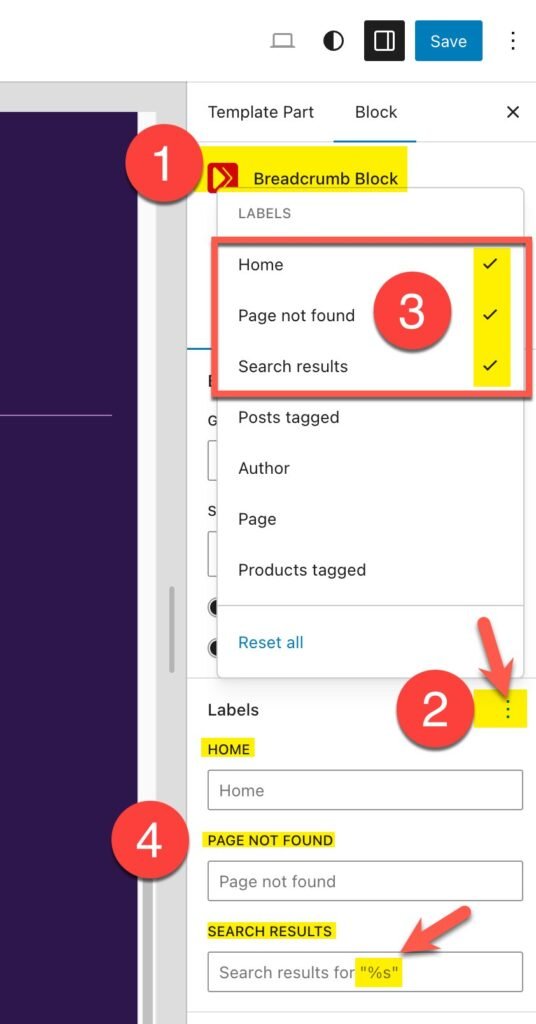
Go the the header using the left menu as follows: Appearance > Editor > Patterns > Header > Then click the Purple “Header” thumbnail. Then in the right sidebar, click the Breadcrumb Block and follow these steps.
You will need to make each of the labels visible so you can edit them (notice the checkmarks in step 3) and then translate them as shown in step 4. Be sure to keep the “%s” in the search results text IF you want to show the terms in the breadcrumbs, otherwise just translate the words “Search results”.
For Newer Themes, 4.1 and higher
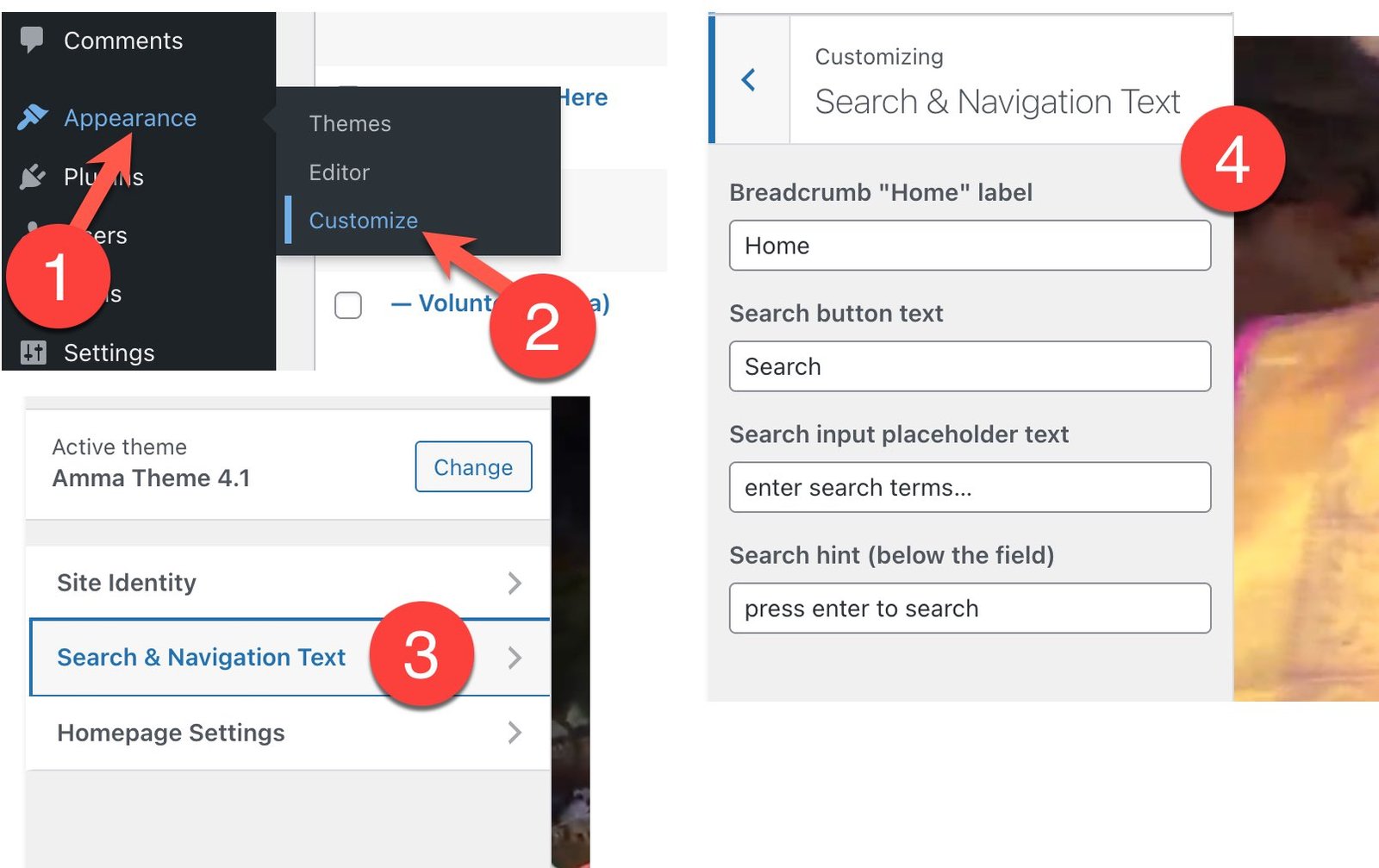
NOTE: If you are installing Theme 4.1 yourself, be sure to remove the HTML block from the Header and enter your translation as shown below instead.
Translate some search and navigation text here. Note the “Home” text needs to be translated in one additional place as shown above.
For Older Themes, 4.0 and below
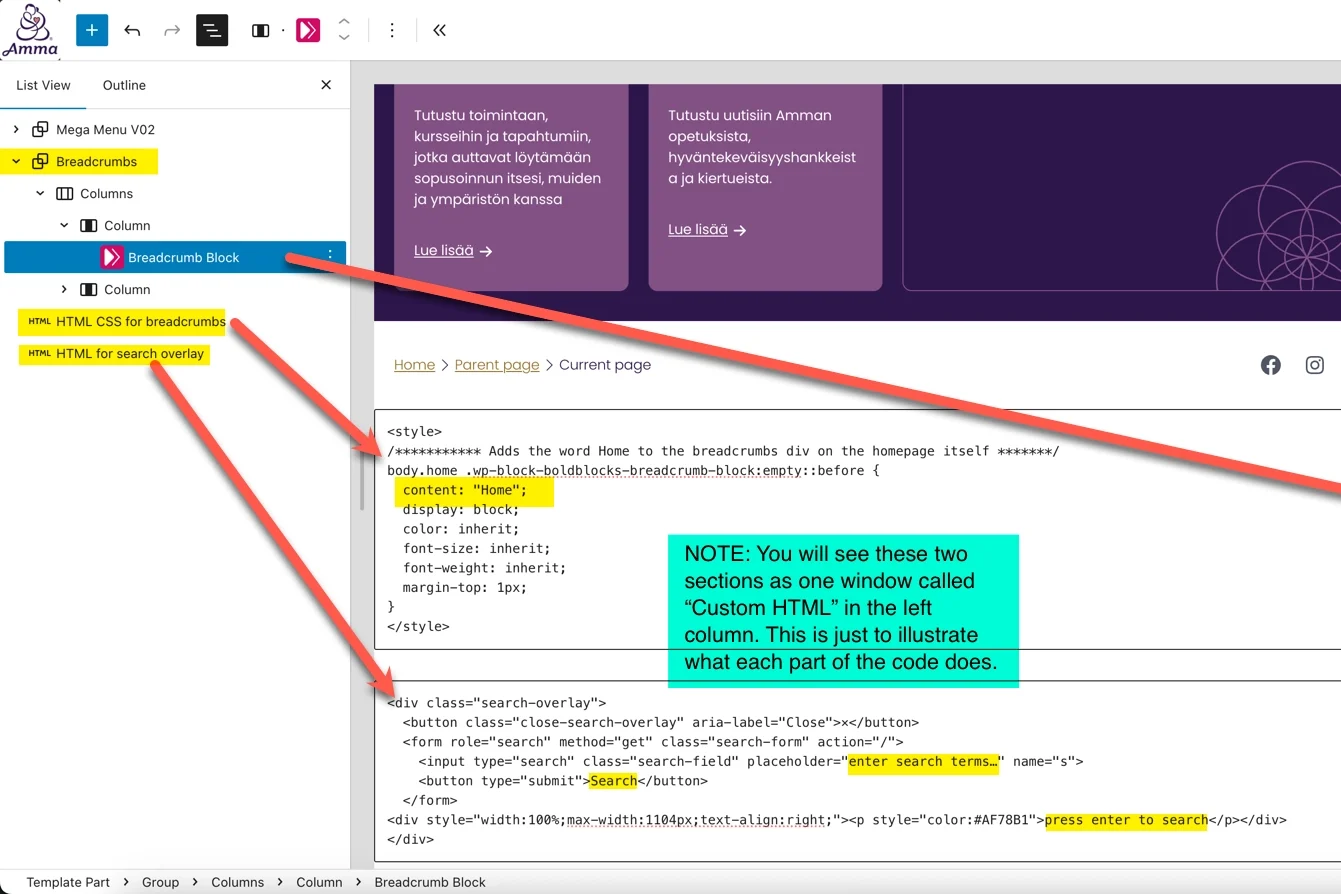
In the header, you should translate these words in the HTML block below the mega menu items.
NOTE: See above for how to change the “Breadcrumb Block” and ignore that red line in the screen below.