Here are some recommended settings.
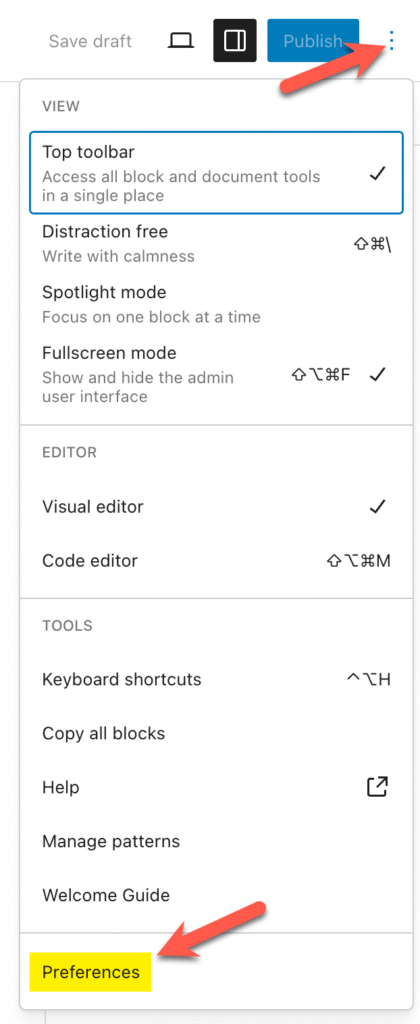
To access the settings you need to change, click the three dots in the upper-right corner of any post or page, then select Preferences at the bottom.
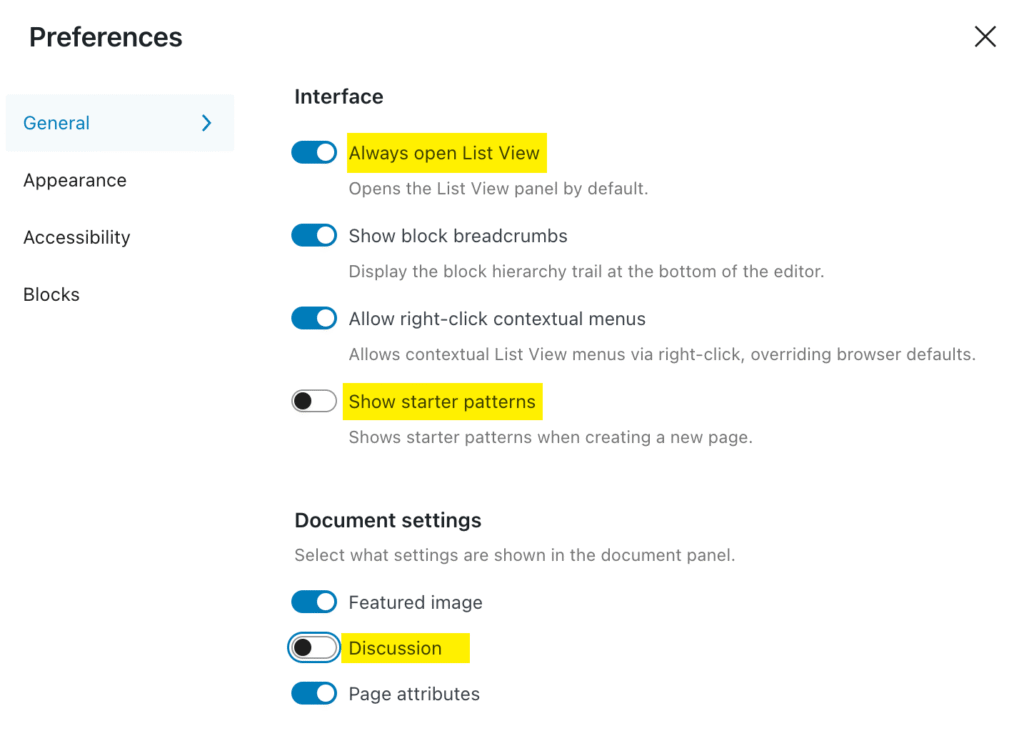
Then change the Preferences to match these.
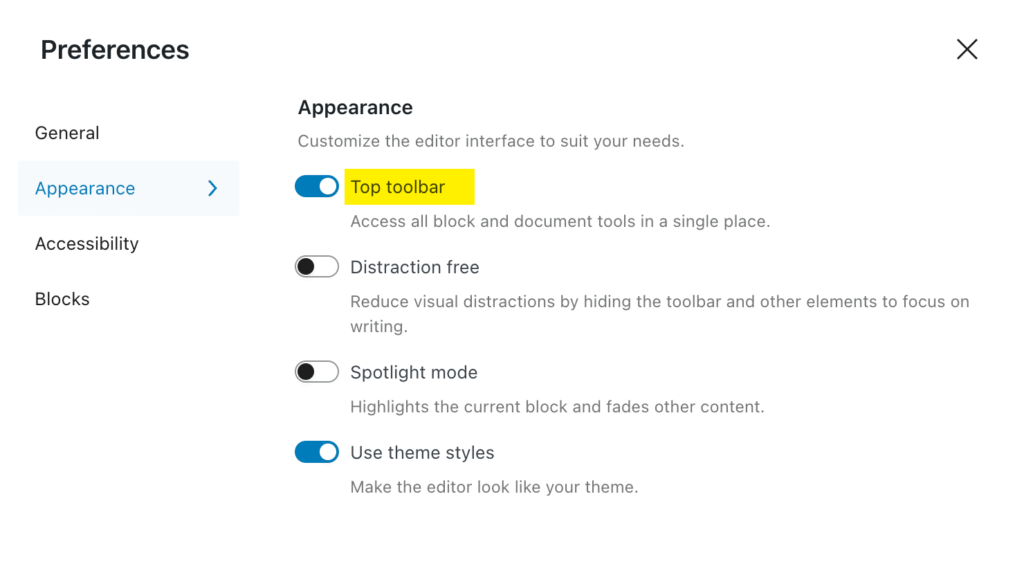
This is optional but if you want to keep the floating toolbar in one place, you can select this below:
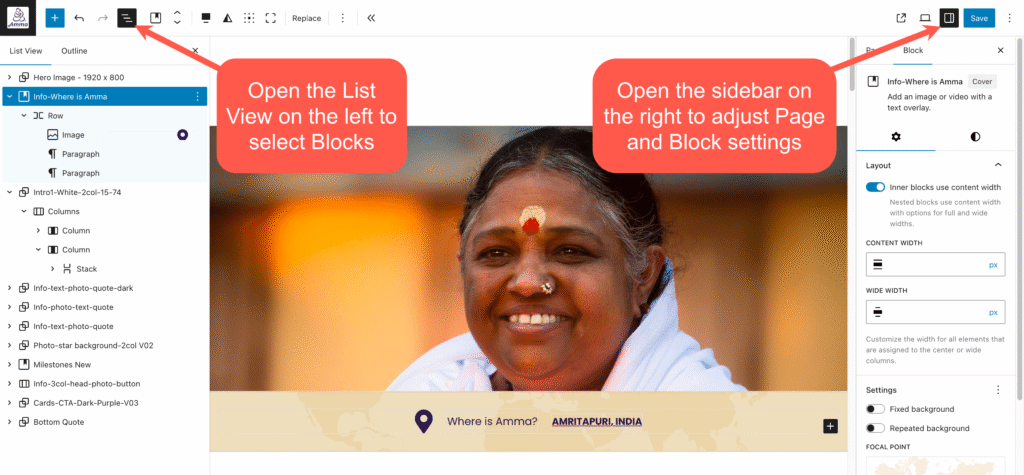
It’s important to use the side panels so you understand where you are on the page (left sidebar) and what settings are available for the Block you are working on (right sidebar).
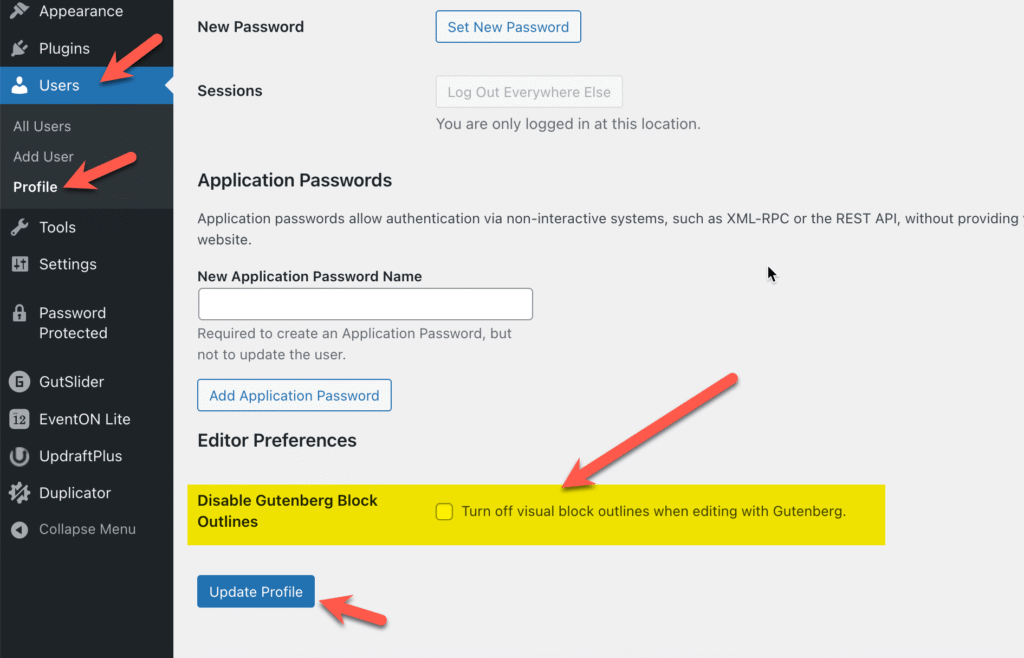
OPTIONAL: Our theme shows outlines around the blocks in the editor (we find this very helpful), but you can disable that if you do not want to see the outlines. Just go to Users>Profile (or access your profile from your name in the upper-right) and scroll to the bottom of your profile, then check this box.